Back40 Pitstop
Where data meets horsepower. Analyze every pull in the browser, and compare notes with the pullers who run what you run.
Your runs, off the tablet
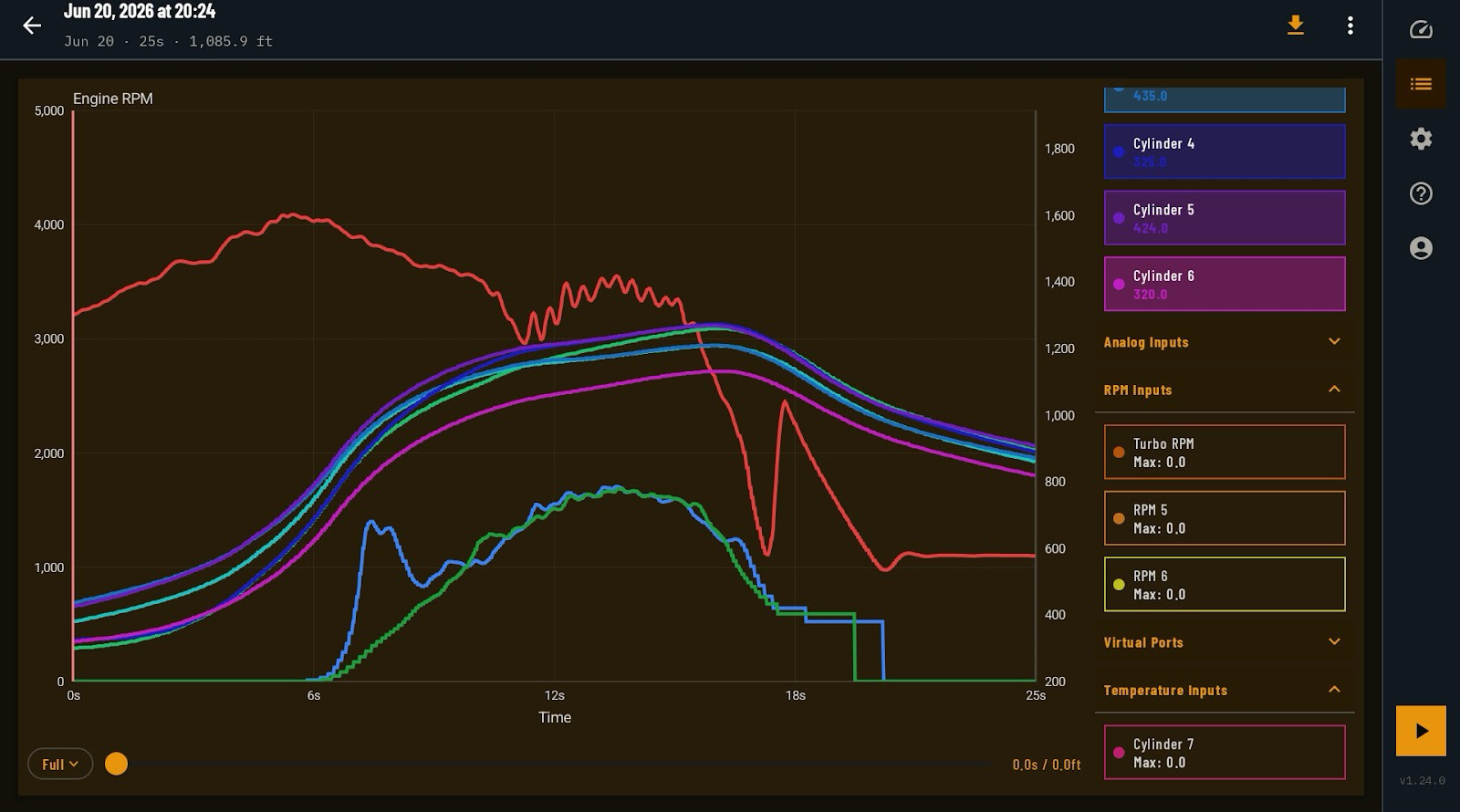
EZ Dash 3.0 records and reviews a pull right there in the cab. Pitstop is where that data goes to be studied properly: on a real screen, against every other run you've logged.
Upload straight from the app or import a log by hand. Pitstop parses it, charts it, and files it in your library.
-
Pull library
Every run in one place, searchable by event, tractor, and date.
-
Run comparison
Chart pulls together to see exactly what your changes did.
-
Quick Analysis
Jump straight to EGTs, boost, water pressure, speed, turbo, or peaks.
-
Weight & balance
Record the setup that produced a run, right next to the data it produced.
-
Talk Shop
Share a pull and hash it out with pullers running the same equipment.
How your data gets there
-
1
Log the pull
The Back40 box feeds your sensors into EZ Dash 3.0, which records the whole run to your Android device.
-
2
Upload to Pitstop
From the log screen, send the run to Pitstop. Add the event, location, and track conditions while it's still fresh in your mind.
-
3
Dig in at home
Open the pull in your browser, chart it against earlier runs, and log the setup that produced it.
Pitstop questions
Do I need Pitstop to use the Back40 system?
No. The Back40 box and EZ Dash 3.0 are a complete dash and logger on their own. Everything records to your device and you can review it there. Pitstop is for when you want a bigger screen, your full history, and other pullers' eyes on it.
What does it cost?
There's a free tier to get started, plus paid plans that unlock the analysis presets, run comparison, weight & balance, and forum posting. Current pricing is on Pitstop.
How do my logs get from the app to Pitstop?
Open a finished run on the EZ Dash 3.0 log screen and upload it. You can also import a log file directly in the browser.
Who can see my pulls?
Your pulls are private to your account until you choose to share one.